

Show Customers the Finished Design
Let homeowners see photorealistic Christmas lighting on their actual property before they buy.
Show homeowners exactly what they're buying with photorealistic lighting designs. Present different packages, simplify your sales process, and make larger installations easier to sell.
Built by someone who's worked in the lighting industry. Personally onboarded. Designed for real sales appointments.Loads YouTube when you choose to watch. Watch on YouTube ↗
Watch how lighting contractors can create realistic designs, show homeowners different packages, and turn those designs into professional estimates and proposals.
Everything you need to bring lighting designs to life and give homeowners a better buying experience.
Let homeowners see photorealistic Christmas lighting on their actual property before they buy.
Mark exactly where you want lighting installed and generate realistic visualizations without complicated manual prompting.
Show designs during in-home appointments on a tablet or share proposals with homeowners reviewing their options remotely.
Christmas lighting tools are available today. Permanent and landscape lighting tools are in development; all members will have access once completed.
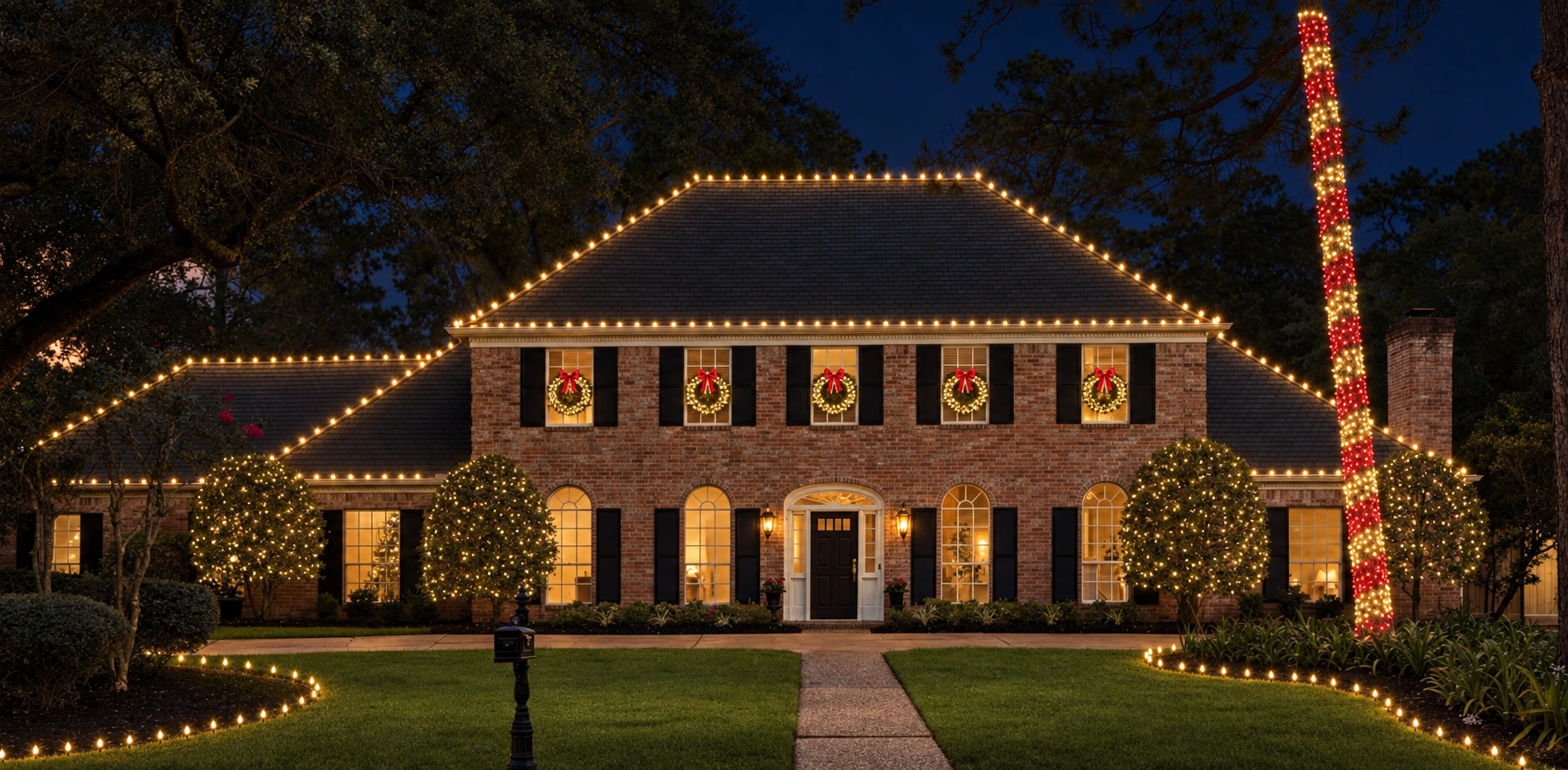
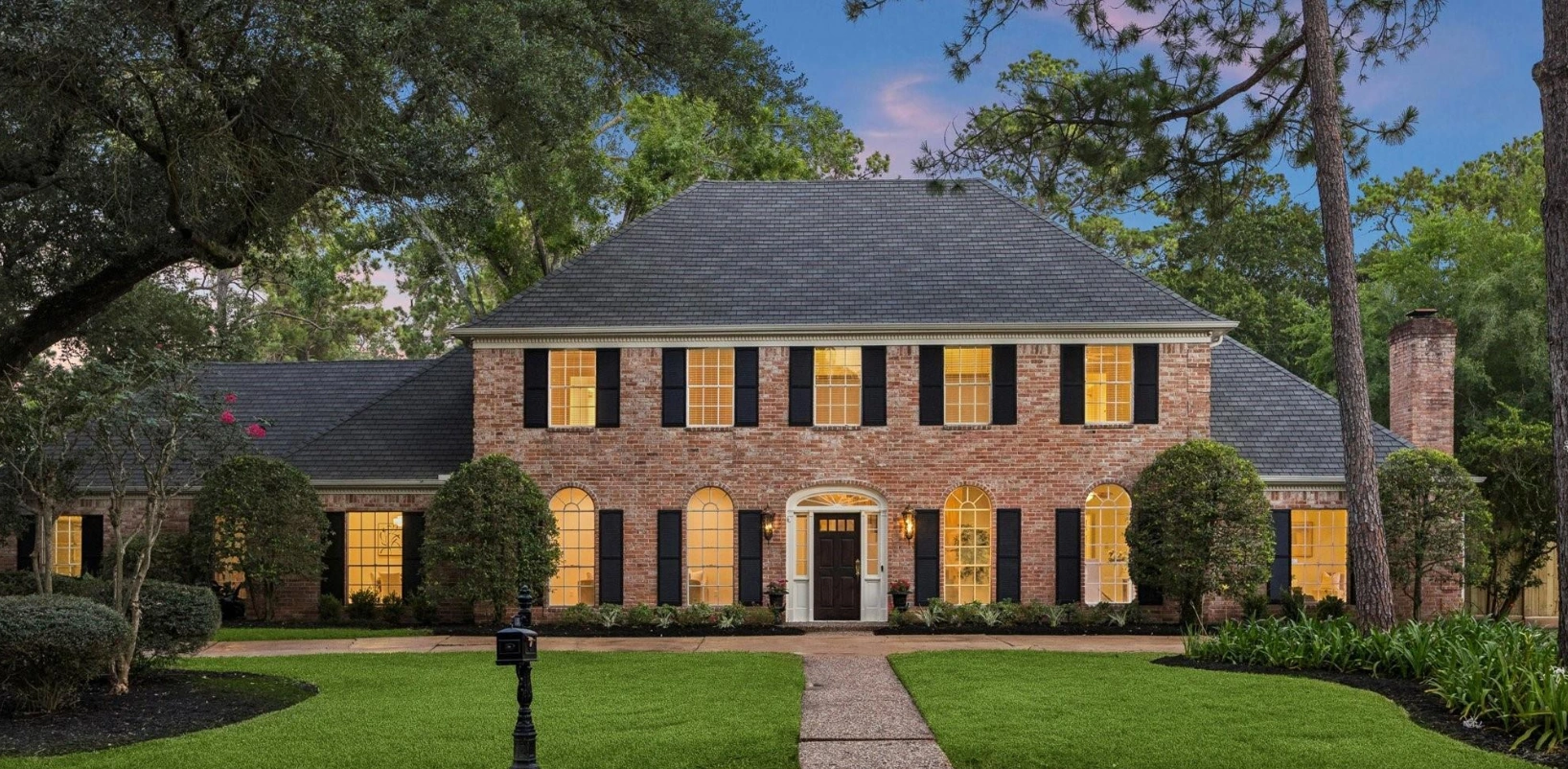
Drag to compare · Use arrow keys when focused
Help customers understand the value of upgrading from basic roofline lighting to more complete property designs.
Replace lengthy explanations and rough sketches with realistic previews homeowners can understand immediately.
Show returning customers what additional lighting could look like before they commit.
“By far the most accurate rendering tool I've used. It only places stuff where you put it. A+”
“This tool is awesome! I've already had some great responses on proposals we sent out.”
“The platform is easy to use and the renders look amazing!”
A connected workflow for the visual presentation and the written scope.
Upload a property photo, mark lighting placement, choose products and create photorealistic designs.
Compare before-and-after designs and show different lighting packages. Give each option a clear visual story.
Create measured or manual measurement reports. Review field measurements before committing to installation quantities.
Build estimates with materials, services, pricing and terms. Keep the written scope aligned with the design.
Send branded web and PDF proposals with package comparisons. Collect payments through supported Stripe connections when configured.
Keep customer properties, designs and renderings organized from one dashboard.
Place lighting directly on the property, refine the design, then make it photorealistic.
Present the proposed design with an interactive Before/After experience built for the sales conversation.
“I didn't want to build another tool that just generates pictures. I wanted to build something contractors could actually use to sell jobs.”Jayden StineFounder, RendrPro
My background combines Management Information Systems studies with hands-on experience in home-service sales and operations.
Working in the lighting industry showed me how much easier it is to sell a visual product when homeowners can see the proposed installation. That experience inspired RendrPro.
Today, I personally work with the companies we onboard, helping them learn the platform and put it to use on real projects.
Schedule a Walkthrough With the FounderTell us a little about your lighting company. We review applications and reach out to contractors who may be a good fit.
About 90 seconds. Personal follow-up. Access by invitation.Have a question about your workflow? Bring it to the walkthrough.
RendrPro is a visual sales platform for lighting contractors: design on property photos, create photorealistic visualizations, present packages, create measurement reports and estimates, and send branded proposals.
Yes. RendrPro runs in a browser and includes touch controls for Studio and customer presentation. An iPad or computer gives you room for precise placement. Use a current browser and an internet connection.
Permanent and landscape lighting tools are in development. All members will have access once completed. Today, Studio supports Christmas lighting with C9 lighting, tree and bush lighting, garland, wreaths and bows.
Yes. Create options for the same property and use customer presentations and proposal package comparisons to explain the differences in scope.
Yes. Send branded web and PDF proposals with package comparisons and your written scope. Supported Stripe payment collection is available when your contractor payment connection is configured.
Book a personal walkthrough or submit a contractor application. We review your workflow and personally onboard approved companies. Accounts are created by invitation; applications do not automatically create an account or trial.
One AI generation or one AI edit/correction uses one Rendr Credit. Manual design work does not consume Rendr Credits. Existing members can manage their credits inside their account.
Use Christmas lighting design software to plan the installation on a real property photo. Present before-and-after lighting visualizations during appointments, compare packages, then use lighting estimates and branded proposals to explain the scope.
See how RendrPro fits the way your company designs, presents and proposes lighting installations.
Book a Personal WalkthroughPersonal walkthrough. Access by invitation.