
Skip to content
RendrPro

Built around the way you sell lighting.

Design, visualize, present and manage a property’s lighting options in one focused workspace.

01 / Design

Design with intent.

Place the products before rendering. Studio gives you control over the design you plan to sell.

  • Roof and Stake C9, tree/bush lighting, garland, wreaths and bows
  • Colors, supported patterns, bulb sizes and spacing
  • Saved designs and multiple property photos
  • Manual work uses no Rendr Credits
Book a Personal Walkthrough
Design StudioPlace. Refine. Save.

Place supported lighting on the property photo. Choose colors and patterns, refine the layout, then save your design for rendering.

Design with intent.
02 / Visualize

Make the vision tangible.

Generate a photorealistic visualization from the saved layout. Review each result and refine it when needed.
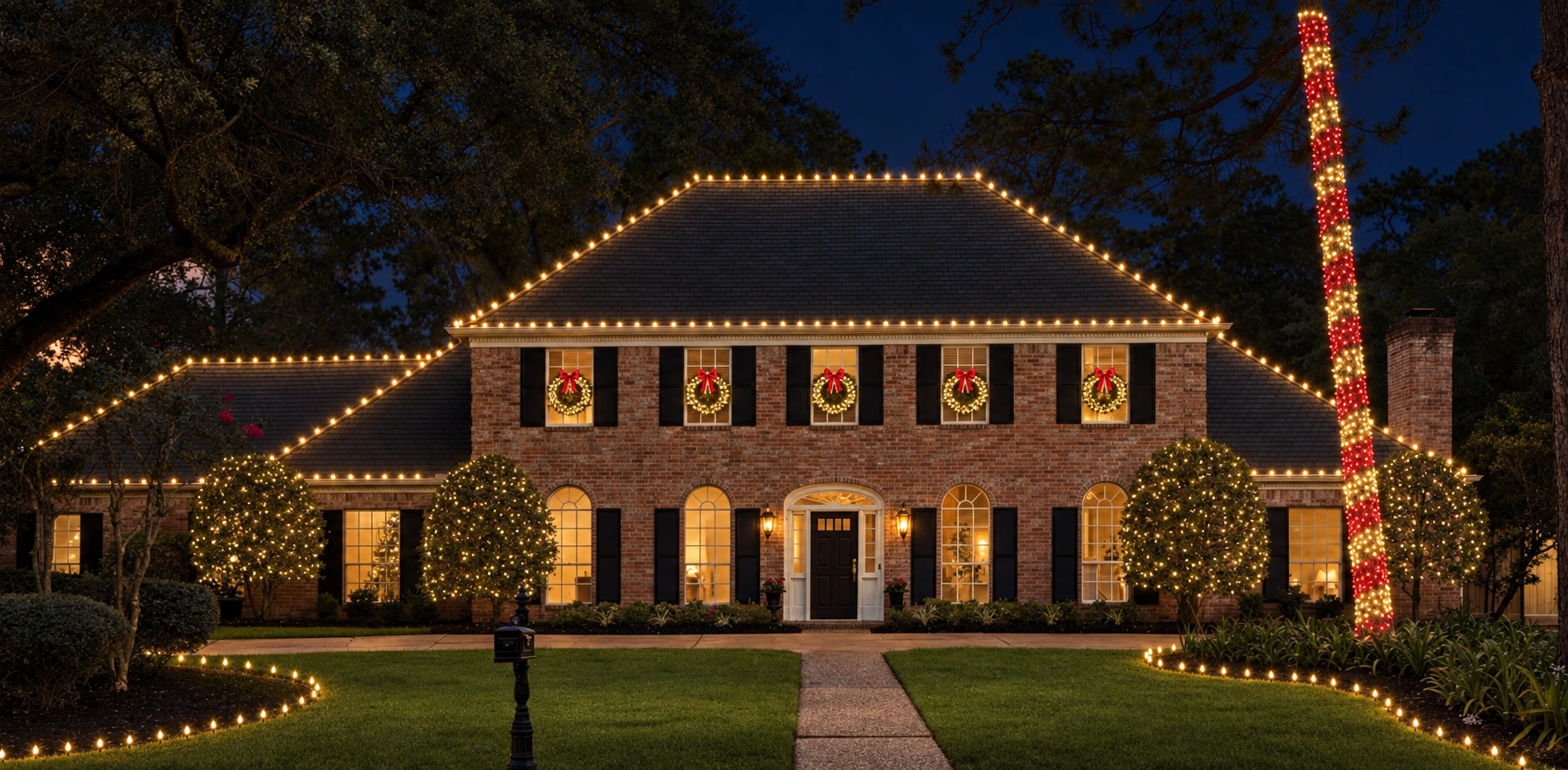
  • Controlled design-to-render workflow
  • AI corrections and Edit Studio
  • Saved render versions for comparison
  • One generation or AI edit uses one Rendr Credit
Book a Personal Walkthrough
Make the vision tangible.
03 / Present

Bring the customer into the picture.

Use Customer Presentation to compare options in the browser, then take the selected visual into your proposal process.

  • Present on an iPad or computer with a current browser
  • Named options and customer-facing descriptions
  • Selected design and render exports
  • Clean and company-branded options on eligible paid plans
Book a Personal Walkthrough
Customer PresentationCompare. Discuss. Decide.

Bring completed designs together, compare options with your customer and download the selected visuals.

Bring the customer into the picture.
04 / Manage

Keep the whole property together.

Reopen the project when the customer asks for a change. Keep photos, layouts and versions in one workspace.

  • Projects and version history
  • Cloud access with an internet connection
  • Shared projects and Rendr Credits on Company Pro
  • Company branding and Manager/User controls
Book a Personal Walkthrough
Design StudioPlace. Refine. Save.

Place supported lighting on the property photo. Choose colors and patterns, refine the layout, then save your design for rendering.

Keep the whole property together.
From property to possibility

One workflow. A clearer conversation.

01

Upload

Start with a photo of the actual property.

02

Design

Place the supported products exactly where you intend them.

03

Render

Visualize your saved design, then review the result.

04

Present

Compare versions with the homeowner.

05

Sell

Use the selected visual in your proposal process.

Your next sales conversation starts here

Show the vision. Sell the job.

See how RendrPro fits the way your company designs, presents and proposes lighting installations.

Book a Personal WalkthroughPersonal walkthrough. Access by invitation.
A personal platform walkthrough

Let’s talk about your next lighting job.

Choose a time with RendrPro. Open booking in a new tab ↗